
If you’re processing PHI: this feature satisfies the audit logging requirement under HIPAA’s audit control standard. See [Security & Compliance for LLM Gateway]](/llm-gateway/security-and-compliance-guardails) for more info.
What Gets Logged
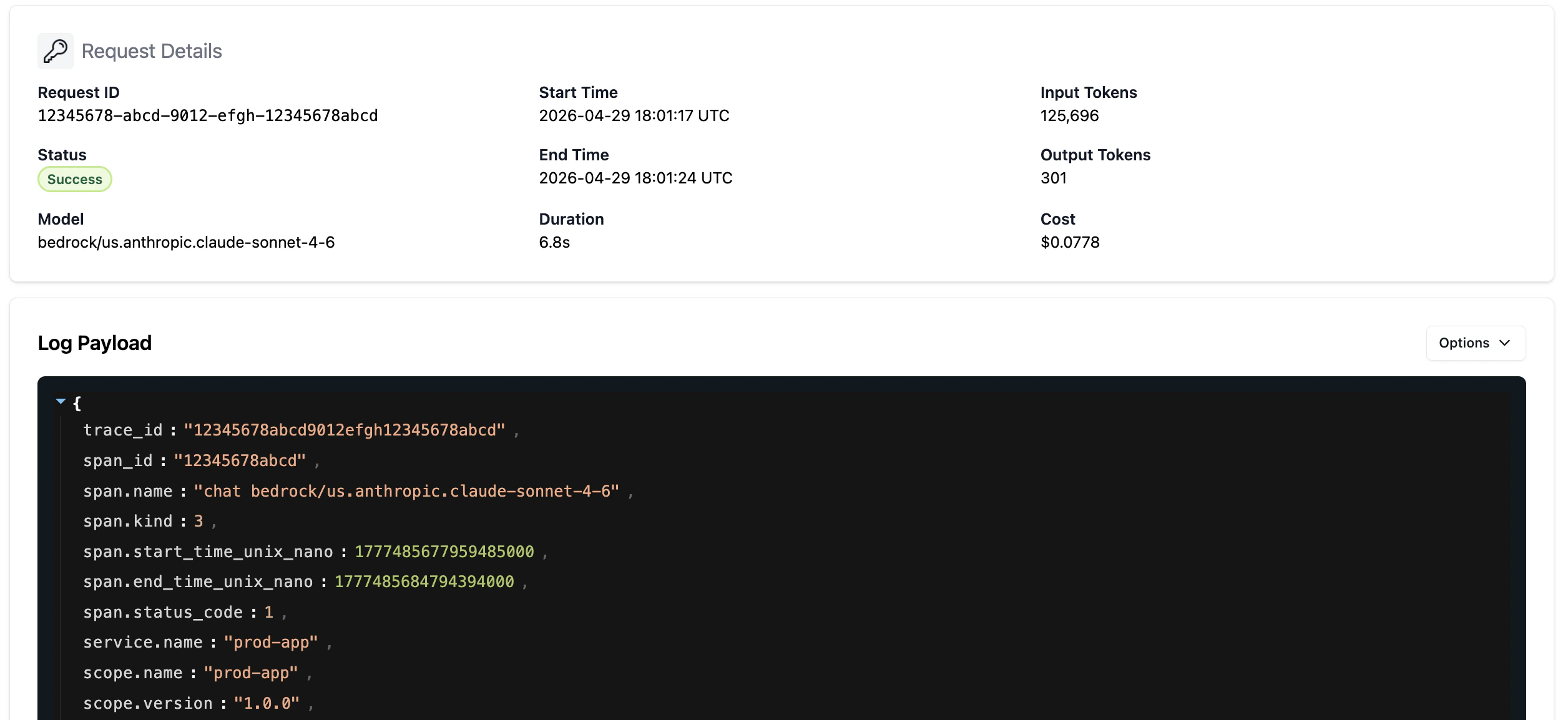
Every request captures: prompt content, response, timestamp, model used, key attribution, token counts (input and output), and cost. This gives you the full record needed to answer compliance questions, troubleshoot issues, and investigate incidents.Request History
View request activity for each key over the past week from the key details page in LLM Gateway. Each row shows token consumption and associated costs, giving you a quick read on how your keys are being used.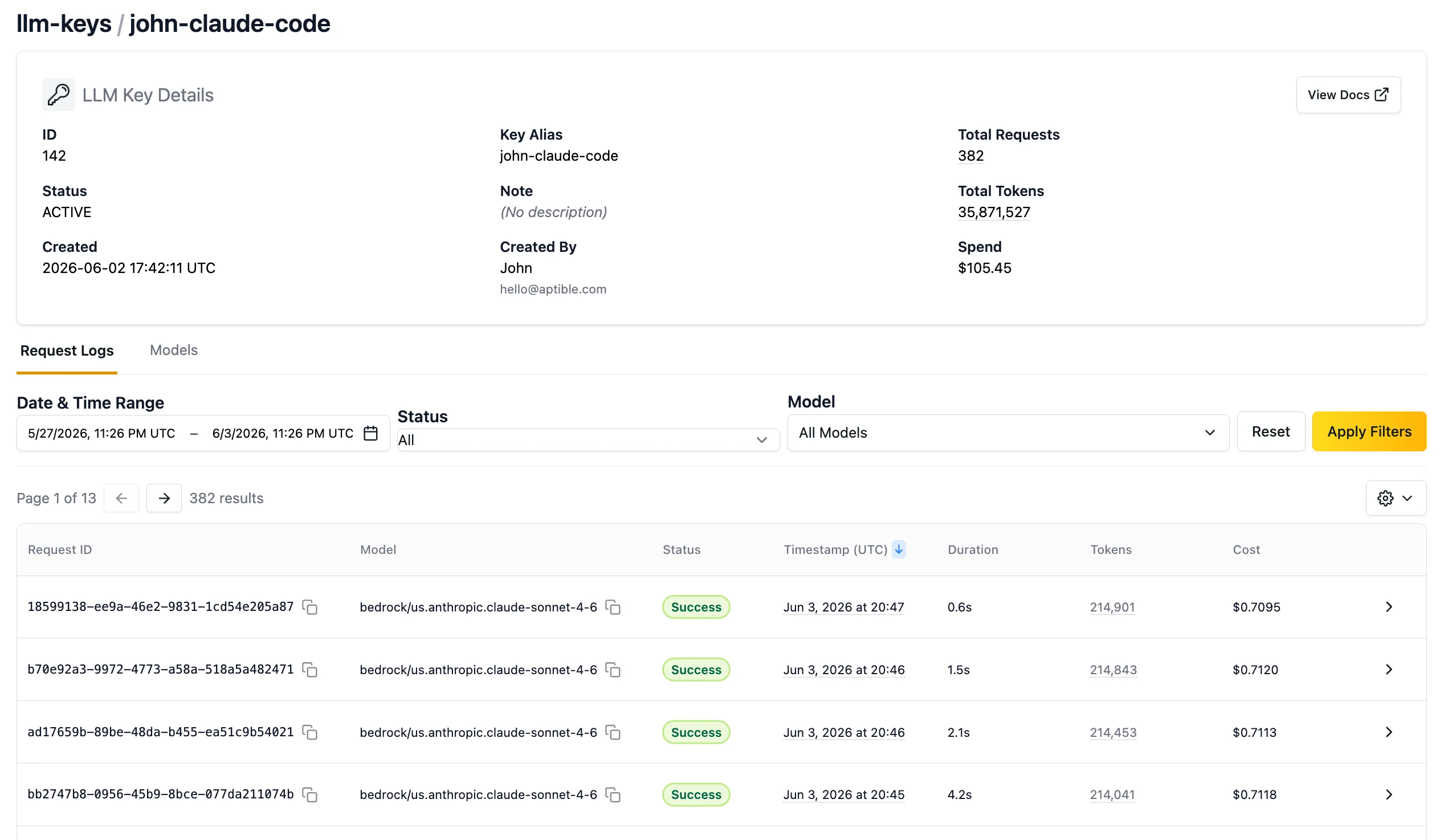
Request Logs
Full LLM request and response logs are available in the Aptible dashboard for the past 7 days. Logs are useful for prompt refinement, troubleshooting, and compliance review. Click the chevron on any request row to expand the full request details.